Travel budget planner
From “someday” to departure day.
Set a savings goal for every trip, tick off what you need, plan your stops, then follow your route and budget on a live map while you travel.
- Free, no ads
- Works offline once logged in
- v1.18.0 · Android 7.0+
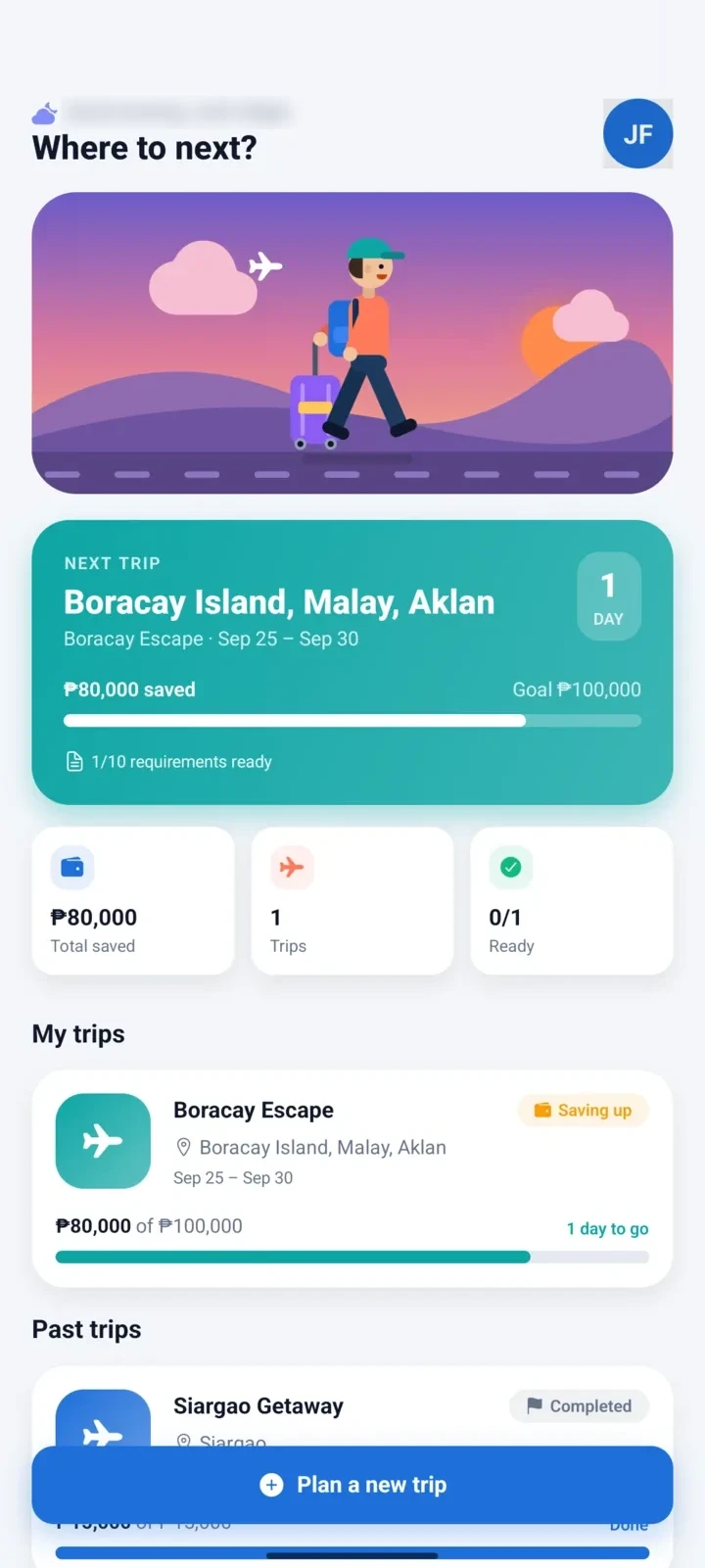
Goal reached
₱25,000 saved 🎉
- Boracay
- El Nido
- Siargao
- Baguio
- Cebu
- Bohol
- Coron
- Tagaytay
- Tokyo
- Seoul
- Singapore
- Bangkok
- Bali
- Hong Kong
- Taipei
- Da Nang
How it works
Three steps to your next trip
TripTarget keeps you honest with your budget before the trip, and keeps you on track during it.
- Step 1
Aim
Create a trip with a budget goal. TripTarget works out how much to set aside every payday, and how much you can spend each day once you are there.
- Step 2
Save & get ready
Log your savings, tick off IDs and bookings, and plan each stop of your itinerary on the map.
- Step 3
Go
Once the goal is saved and everything is checked, the live trip map unlocks on the day you fly.
Features
Everything a trip needs, in one app
Built for how Filipinos actually travel: saving from payday to payday, and watching every peso on the trip.
Plan & save
A savings goal for every trip
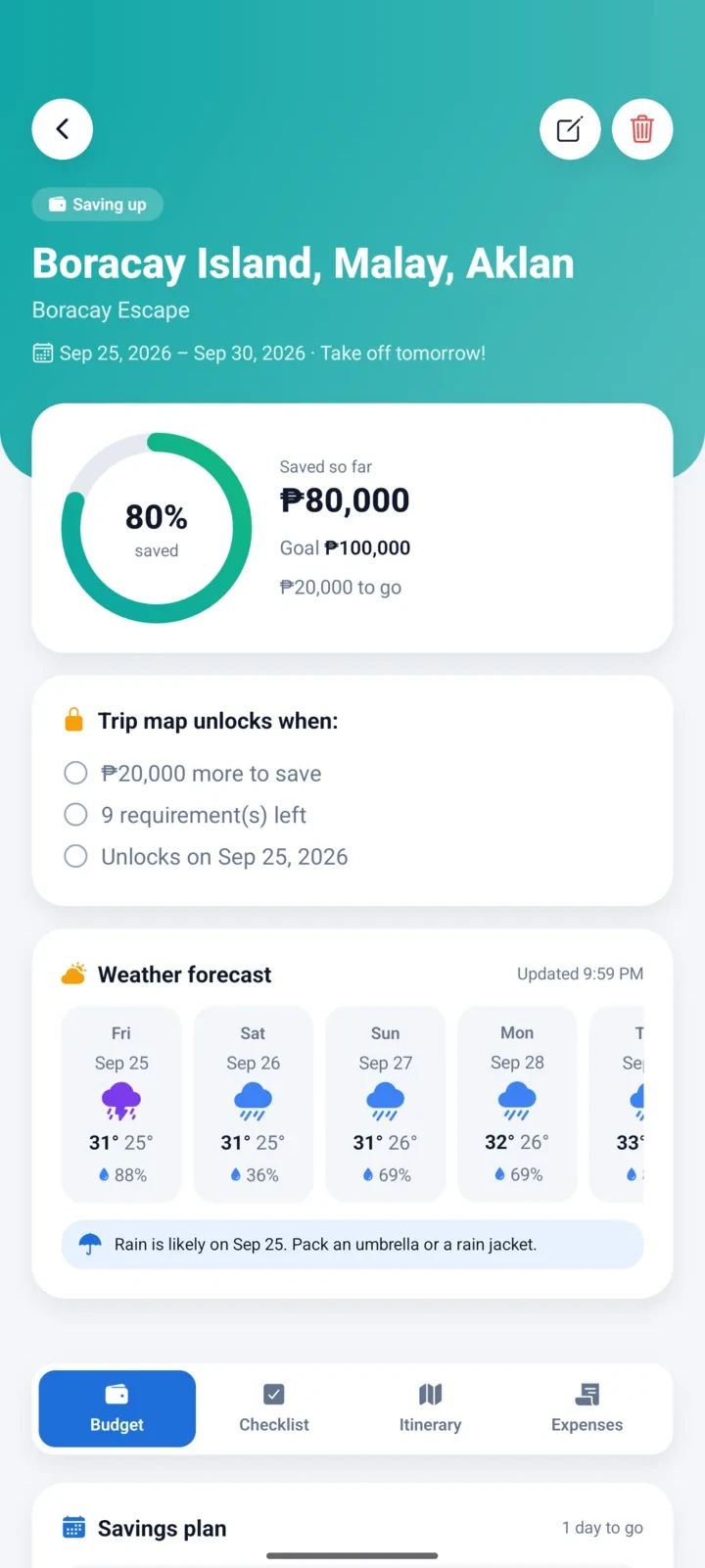
See exactly how far you are from your goal, and what to set aside every payday, week or month to make it before take-off.
- Animated progress for each trip
- Savings plan for kinsenas, weekly or monthly
- Weather forecast for your trip days
Budget day by day
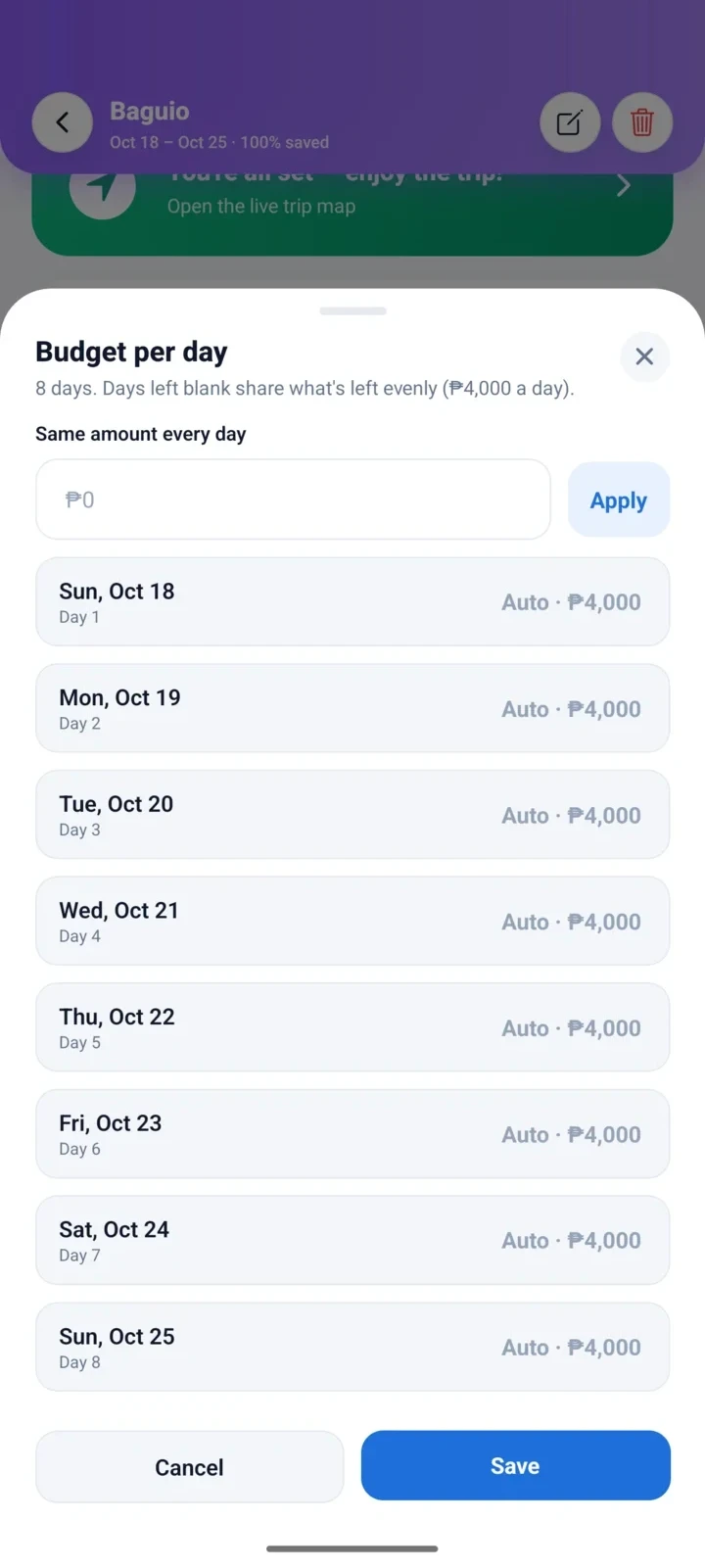
A budget for every day of the trip
Give each day of the trip its own amount: more for the day you fly, less for the day you rest. Leave a day blank and it shares what's left, so the numbers always add up.
- Set every day, or the same amount for all
- Blank days share the rest, and it updates as you type
- A warning if you plan more than you've saved
- See what you saved by staying under budget
Travel together
Plan the trip with your barkada
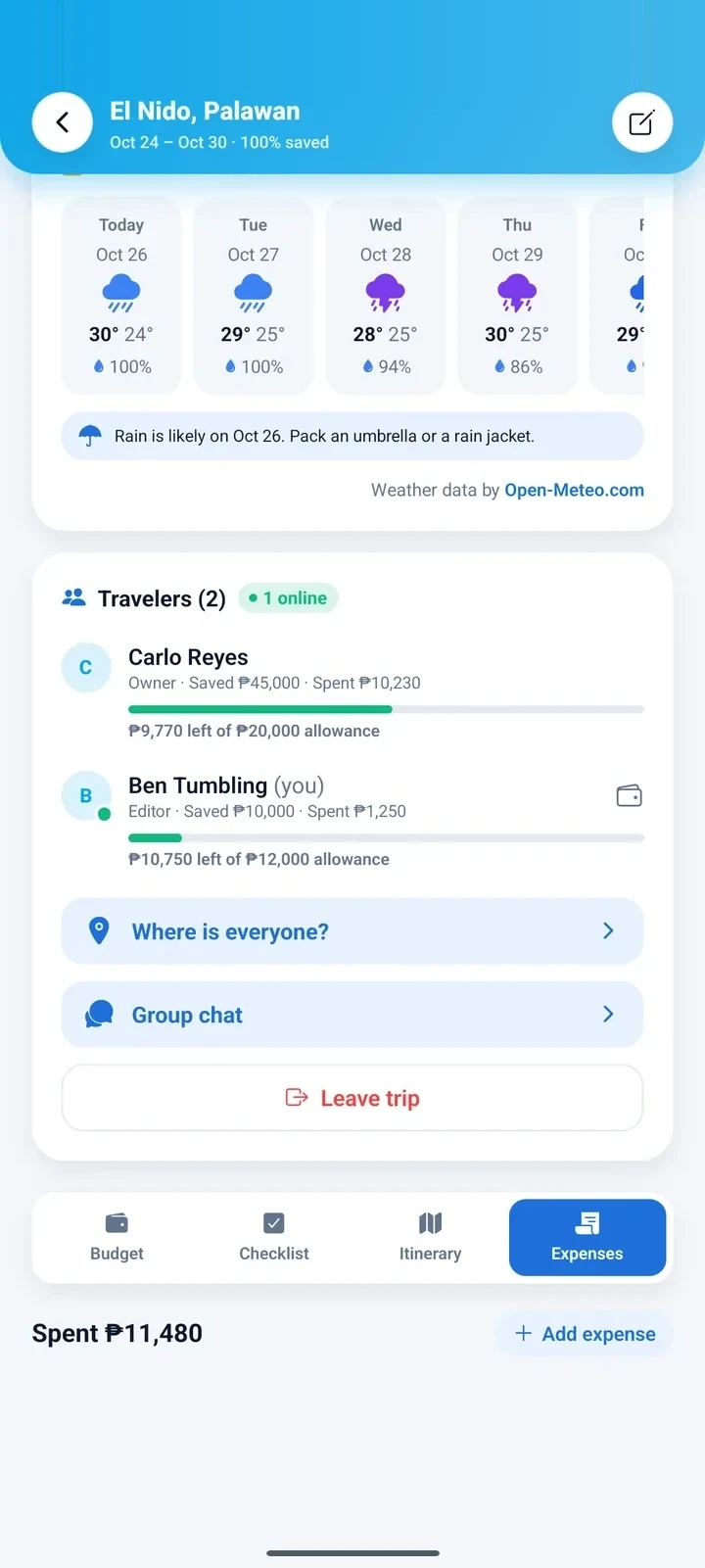
Invite friends and family with a QR code, a link or their email. Everyone sees the same itinerary, checklist and expenses, and each person keeps their own savings and allowance, so it's always clear who added what.
- Scan the QR code with any phone’s camera
- Owner, editor or viewer for each person
- A budget allowance for every traveler
- Only the person who added a saving or expense can change it
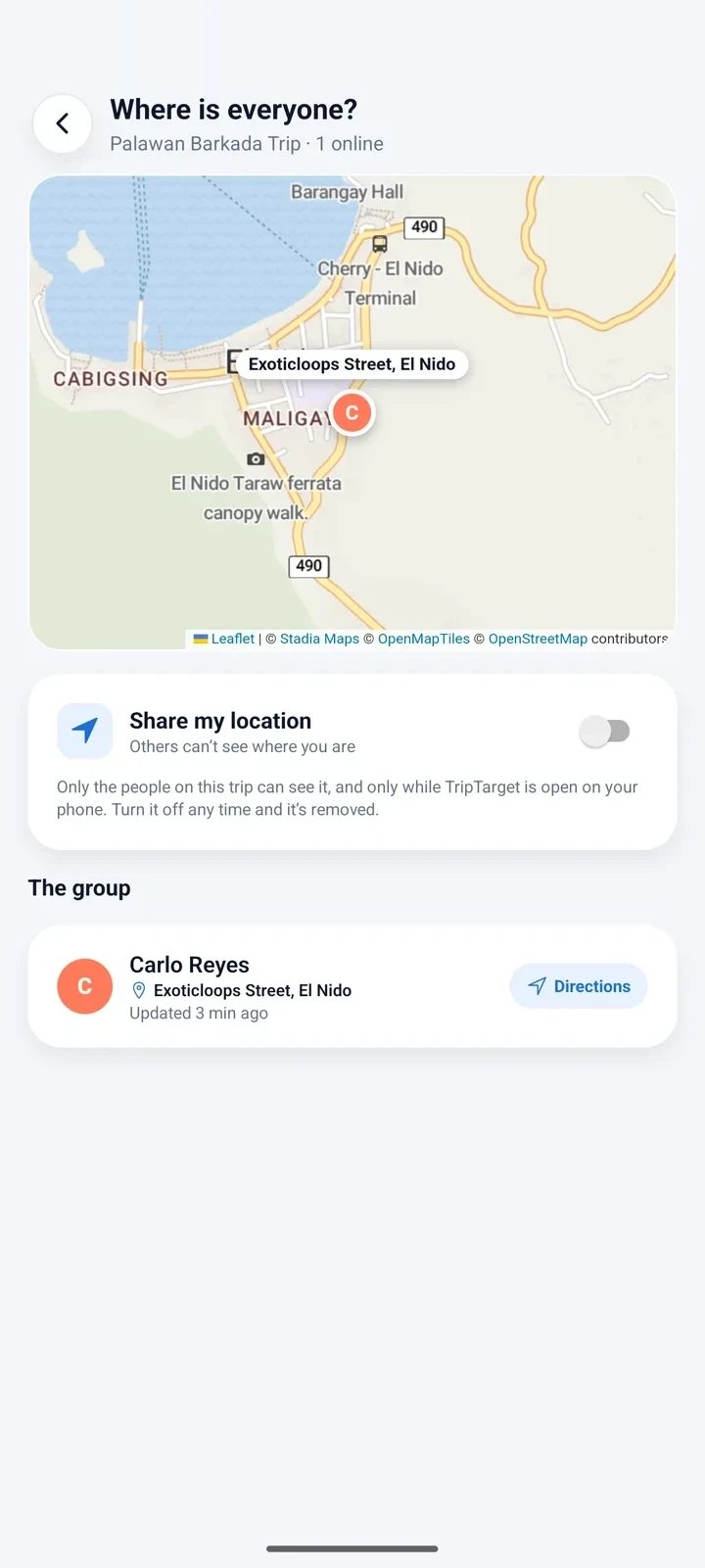
Find each other
See where everyone is
When you're out exploring and the group splits up, share your location to find each other. It's off until you turn it on, and you choose it trip by trip.
- Each friend's pin, with the street they are on
- Shared only with the people on that trip, and you choose if it keeps going when the app is closed (Android)
- Turn it off any time and it's removed
- Directions to a friend in one tap
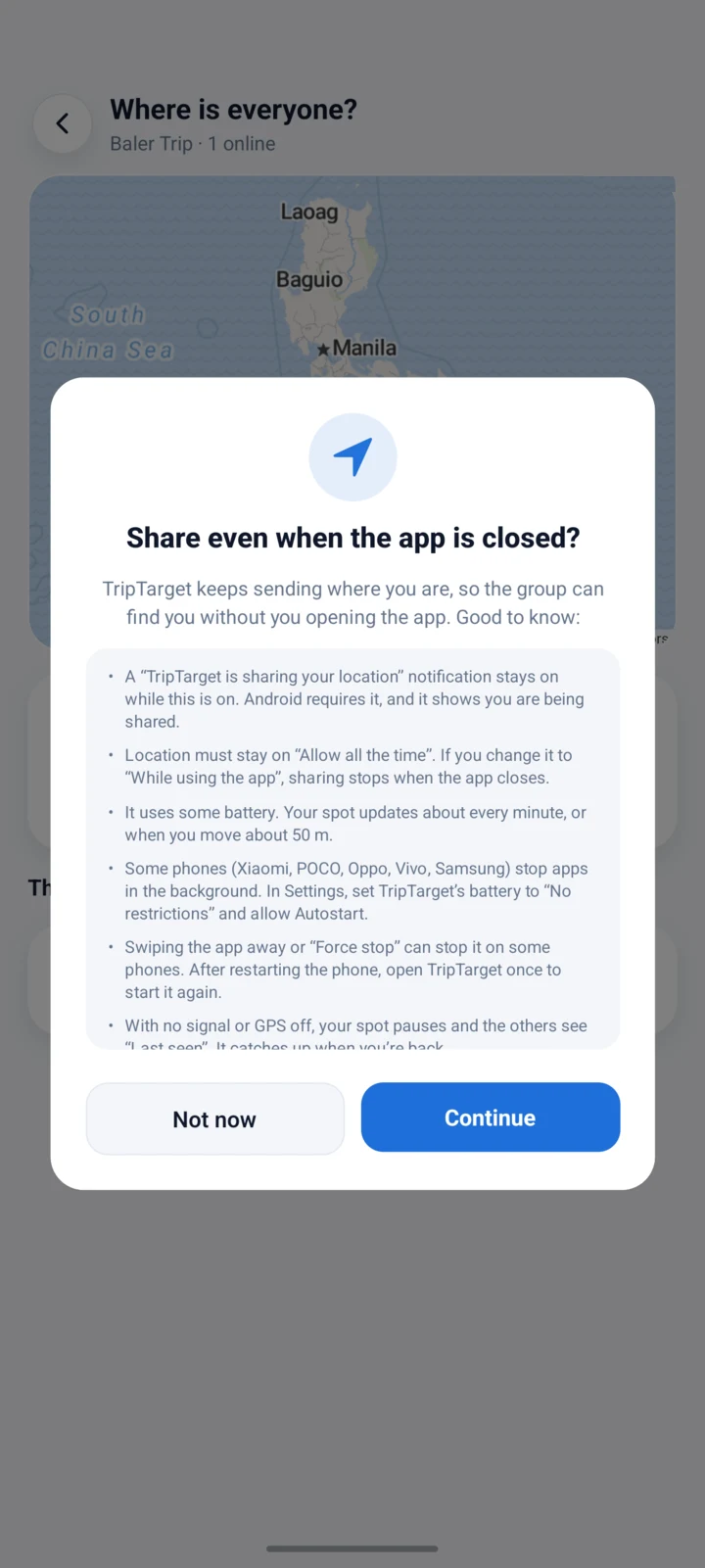
Stay found
Still shared when the app is closed
Lost signal at the market, or phone back in your pocket? On Android, TripTarget can keep sharing your spot while the app is closed, so the group can still find you. You choose it when you turn sharing on, and it tells you exactly what to expect.
- A clear notification shows while it's on, so you always know
- Updates about every minute, or when you move about 50 m
- Off or logged out? It stops and your spot is removed
- Tips for POCO, Xiaomi, Oppo, Vivo and Samsung phones, right in the app
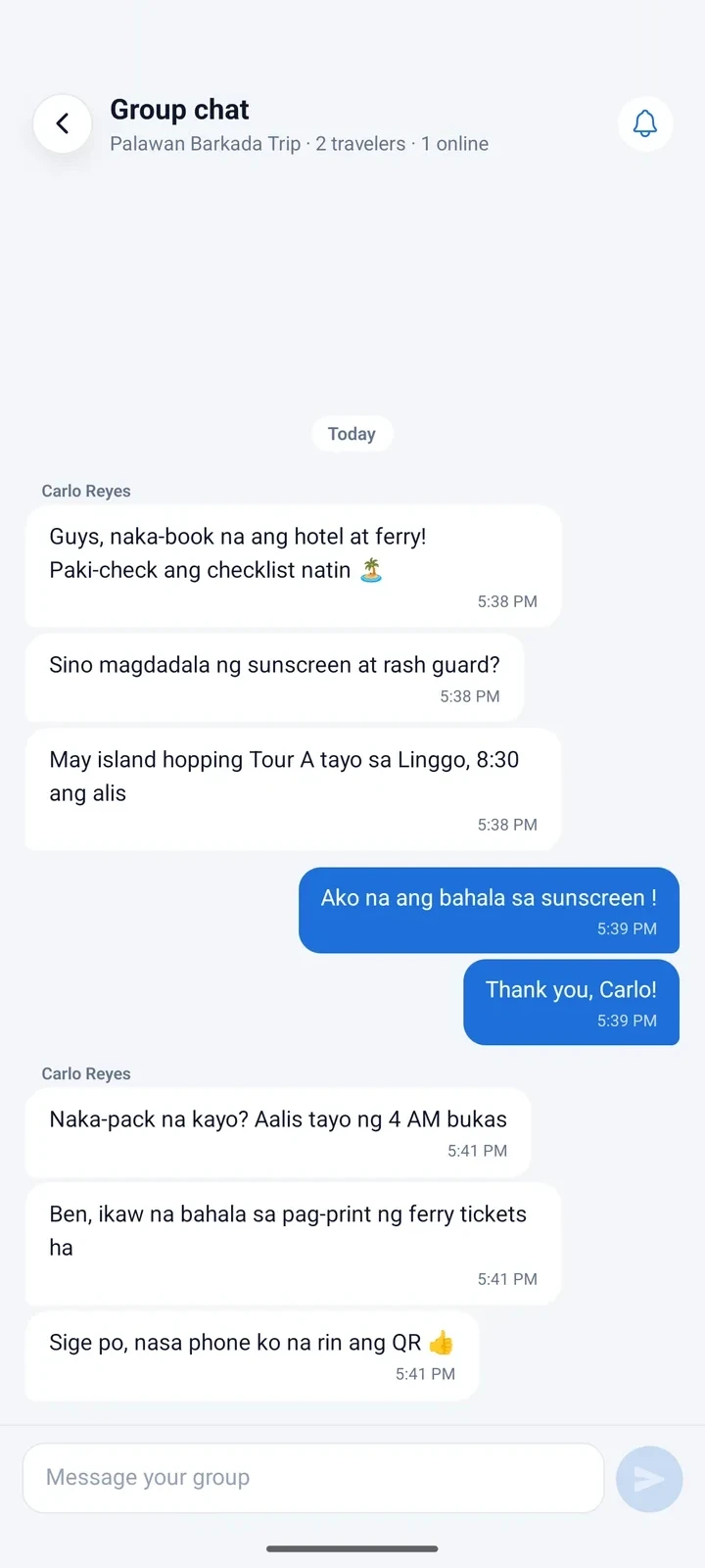
Group chat
Talk about the trip, live
Plan the details right inside the trip. Messages arrive instantly, and you get a notification even when the app is closed, so nobody misses the 4 AM call time.
- Live messages, with typing and unread counts
- Reply to a specific message, and @mention a traveler to get their attention
- Edit or delete a message, and everyone sees that it changed
- See who is online, and mute a trip whenever you like
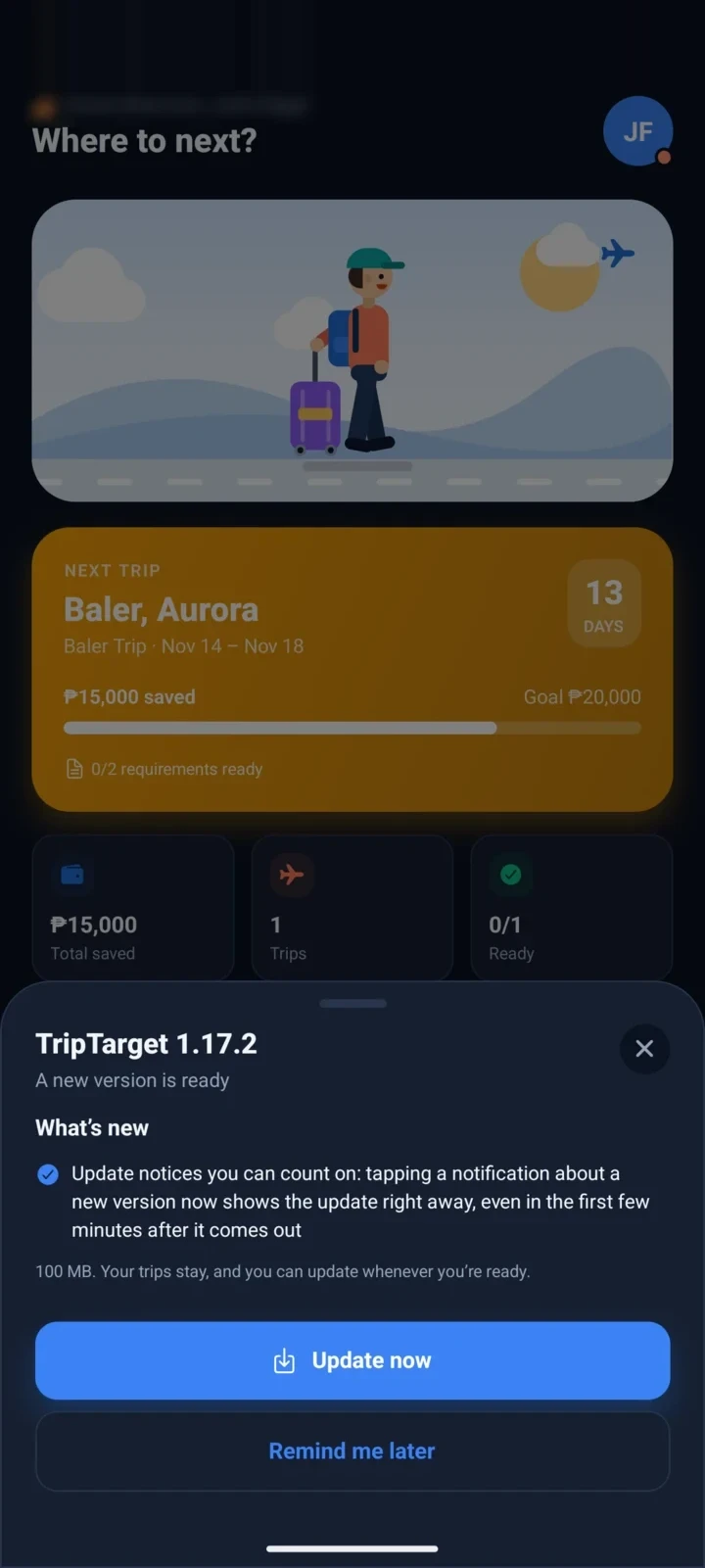
Always up to date
New version? Update in a tap
When a new version is out, TripTarget tells you what's new and updates itself in a few taps. It's never forced, so you can update when you're ready, even if you're offline mid-trip.
- See what's new before you update
- Remind me later, with a notification the next day
- A light on your profile shows when one is waiting
- Your trips stay after every update
Plan around work
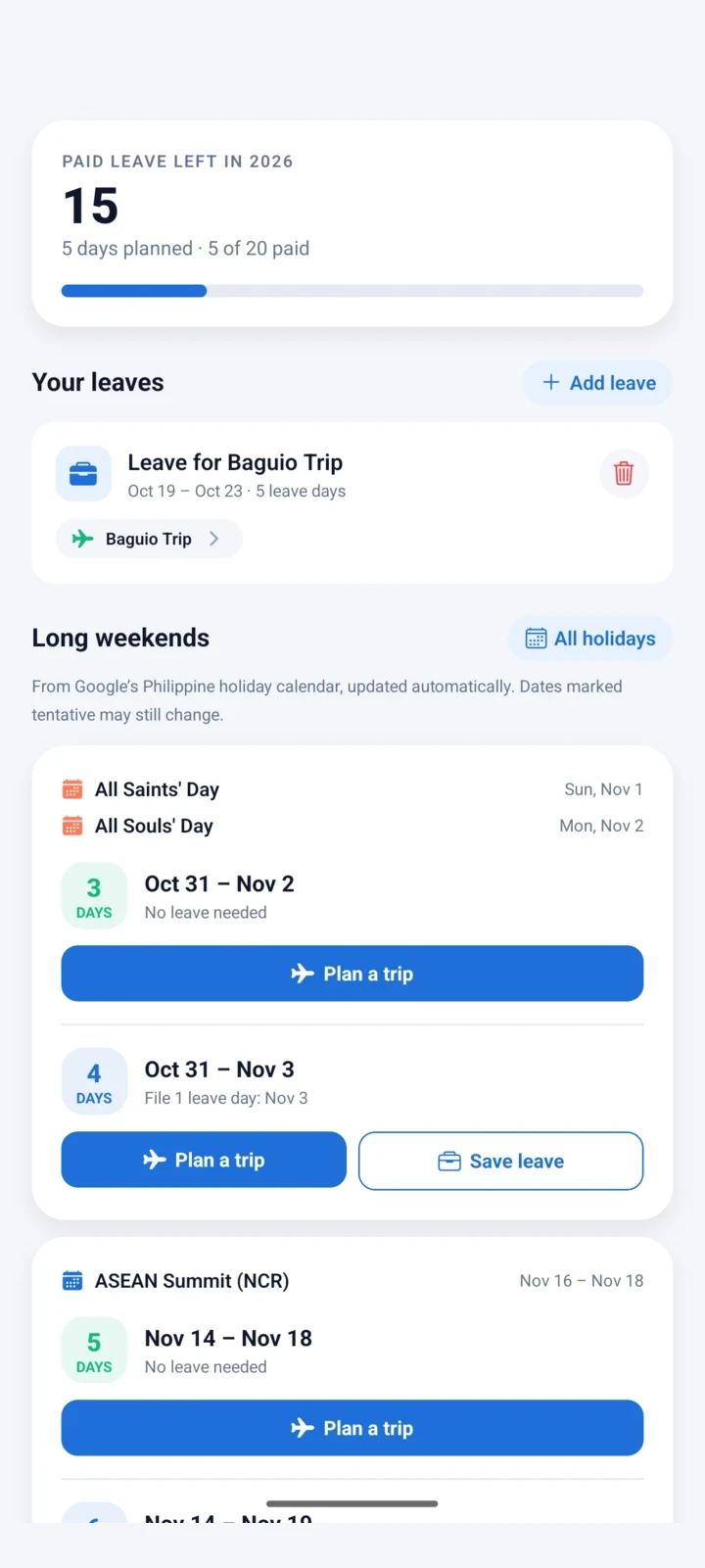
Long weekends, worked out for you
See which holidays turn into long weekends and exactly which days to file leave for, with your leave credits counted. Then plan a trip around it in one tap.
- Long weekends from the Philippine holiday calendar
- Your leave credits, with a reset date that follows your company's cutoff
- Add your own holidays; they follow your account
Get ready
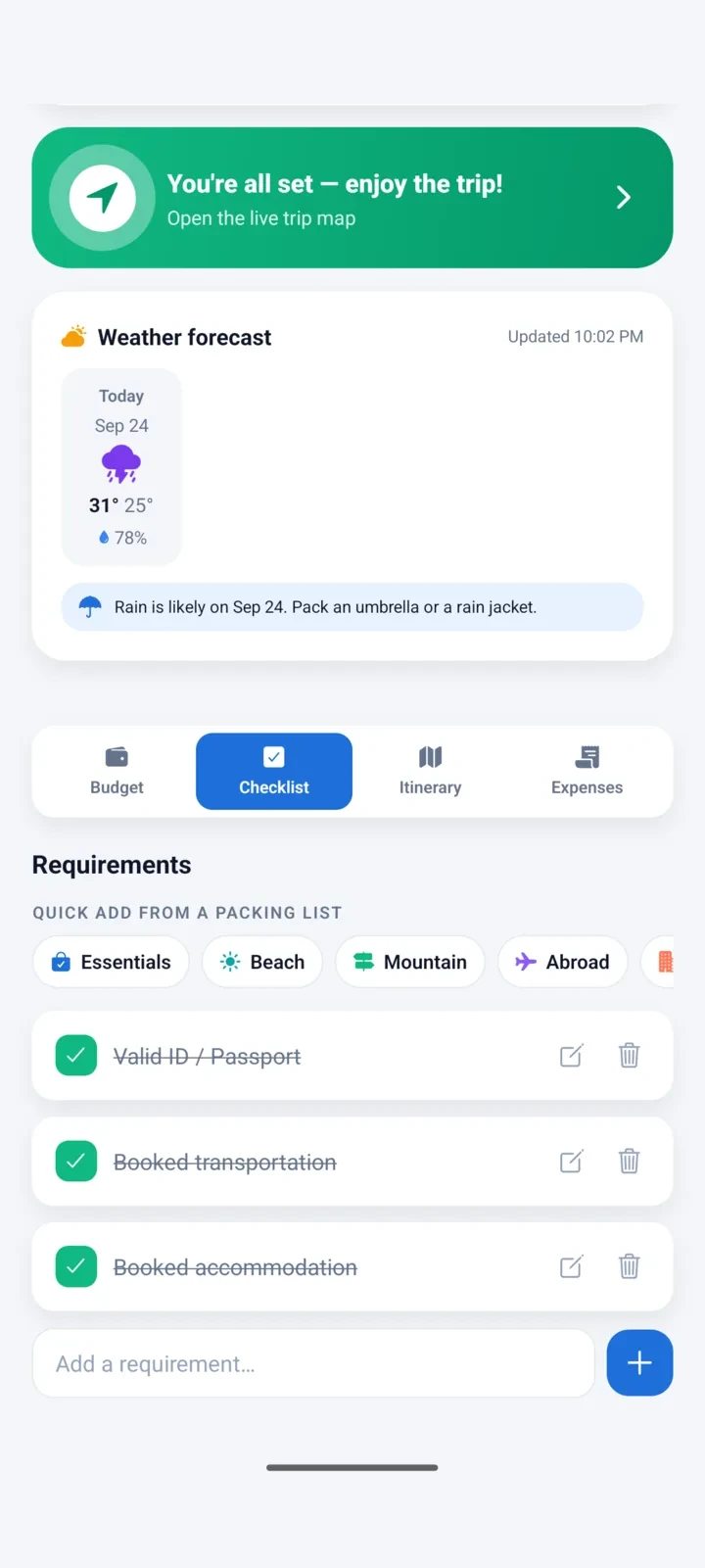
Nothing left behind
Keep your requirements in one checklist and add whole packing lists for the beach, the mountains or abroad in one tap.
- Ready-made packing lists
- Reminders a week, 3 days and the night before
- The live map unlocks once you're all set
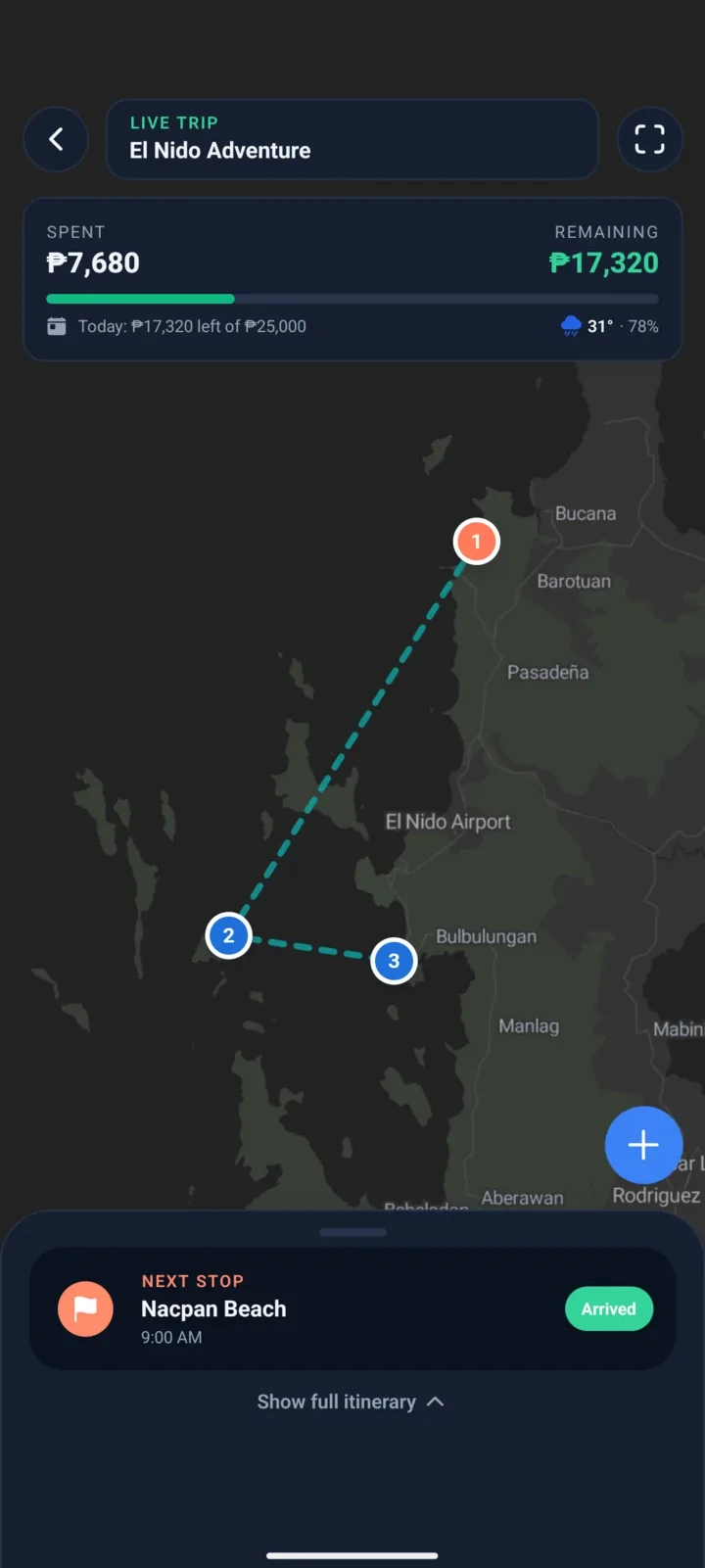
On the trip
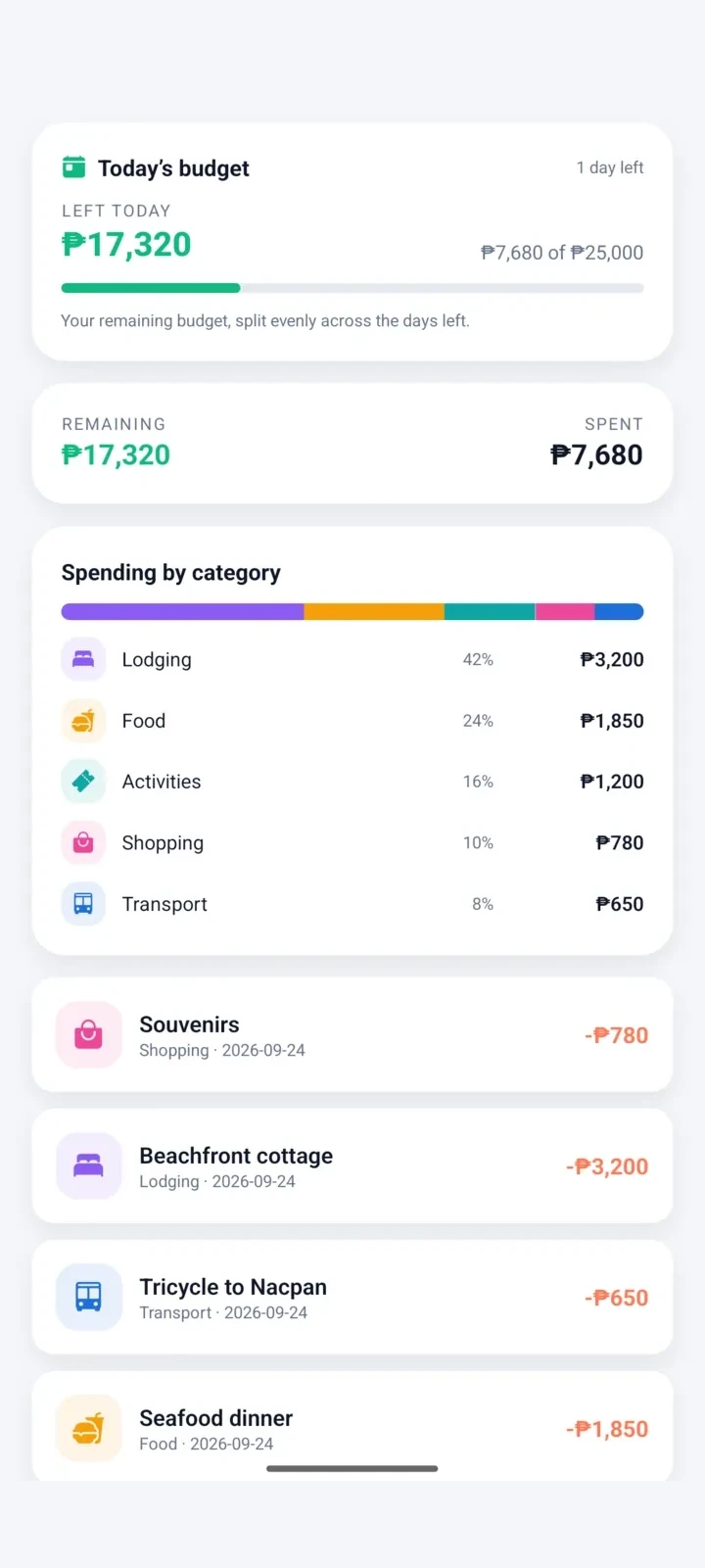
Your route and budget, live
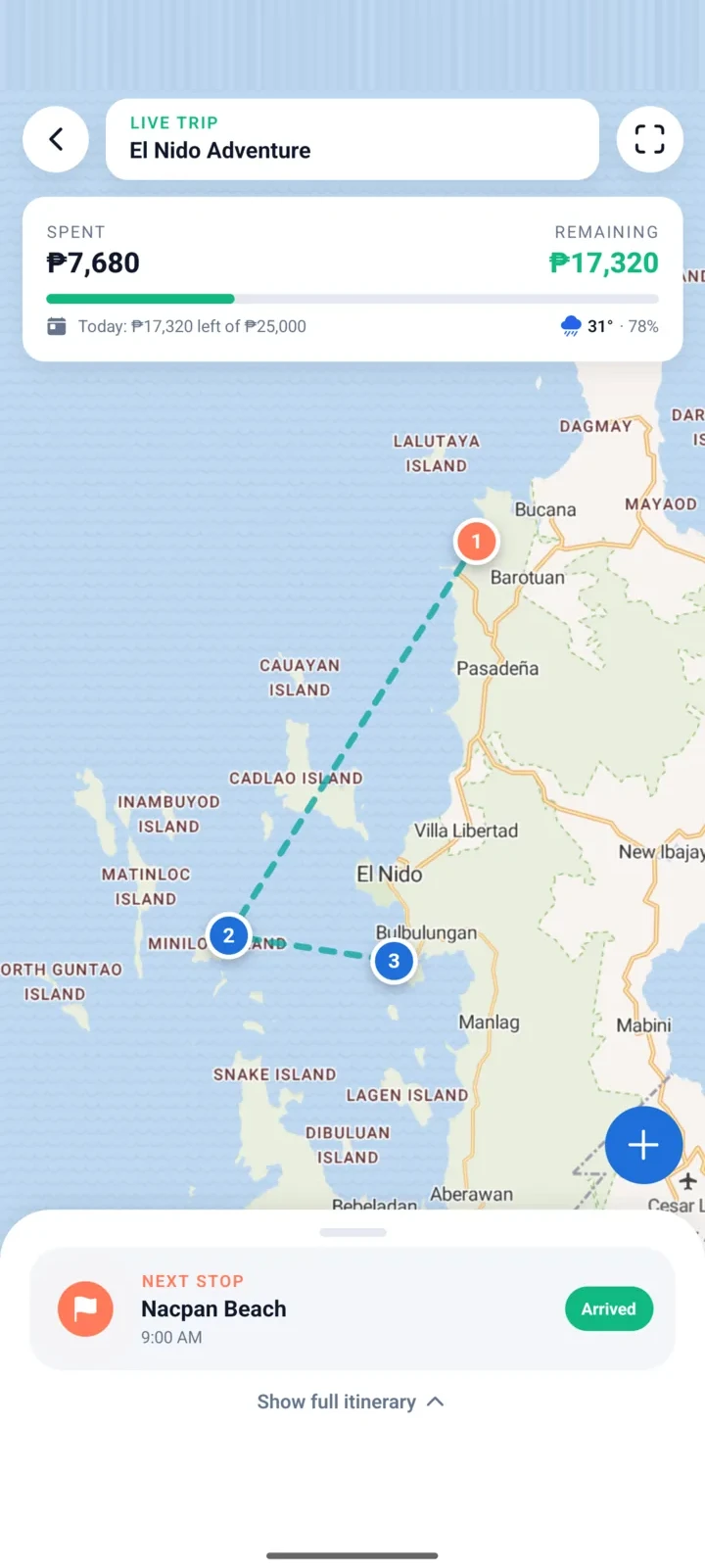
Follow your numbered stops on the map, see how far the next one is, and mark it arrived when you get there.
- Your location, stops and route
- Spent, remaining and today's budget, which you can set for each day
- Share your itinerary as a PDF
Track spending
Every peso, accounted for
Add expenses by hand, scan a receipt, or upload a payment screenshot from GCash, Maya or any bank.
- Spending by category
- Foreign currency converted to pesos
- A shareable recap when the trip ends
And more
Thoughtful details throughout
Works offline
After you log in, everything saves on your phone and syncs when you're back online. Staying logged in keeps it working offline; if you log out, only fingerprint (Android) or Face ID (iPhone) login works without internet, and a password always needs internet.
Phone and web
Log in on another phone or in your browser and your trips are there.
Fingerprint unlock
Keep your trips private with your fingerprint on Android or Face ID on iPhone. It also lets you log back in offline.
Smart reminders
Savings days, trip countdown, your next stop, upcoming leaves and long weekends.
Weather forecast
Daily forecast for your trip, with rain and heat tips.
Foreign currency
Spend in yen, won or dollars; see it in pesos.
Receipt scanning
Snap a receipt or card slip; it’s read right on your phone, and the amount, store and date fill in.
Payment proofs
A screenshot from GCash, Maya or any bank fills in the expense for you.
Itinerary image or PDF
Share a clean itinerary with your travel buddies, as a picture for the chat or a PDF to print.
Invite by QR or email
Scan a friend's QR code with your camera, or accept an invite sent to your email.
Group chat
Live messages with replies and @mentions, and notifications when someone joins or shares their location.
Updates inside the app
See what's new and update in a few taps, or get a reminder for later.
Allowance per traveler
Everyone sets their own budget and sees how much of it is left.
Trip recap
A shareable summary of what you spent, when you're home.
Place search
Find beaches, restaurants and landmarks to pin.
Details that stay
Headers shrink as you scroll but keep your trip, dates and savings in view.
Sign in with Google
One tap to start, or use your email with a verification code.
You're in control
Edit your profile, or delete your account and data anytime.
Light and dark
Follows your phone, with a scene that changes by time of day.
Your payday, your holidays
Set your own payday, like the 15th and 30th or the 10th and 25th, and add local or company holidays. They follow your account.
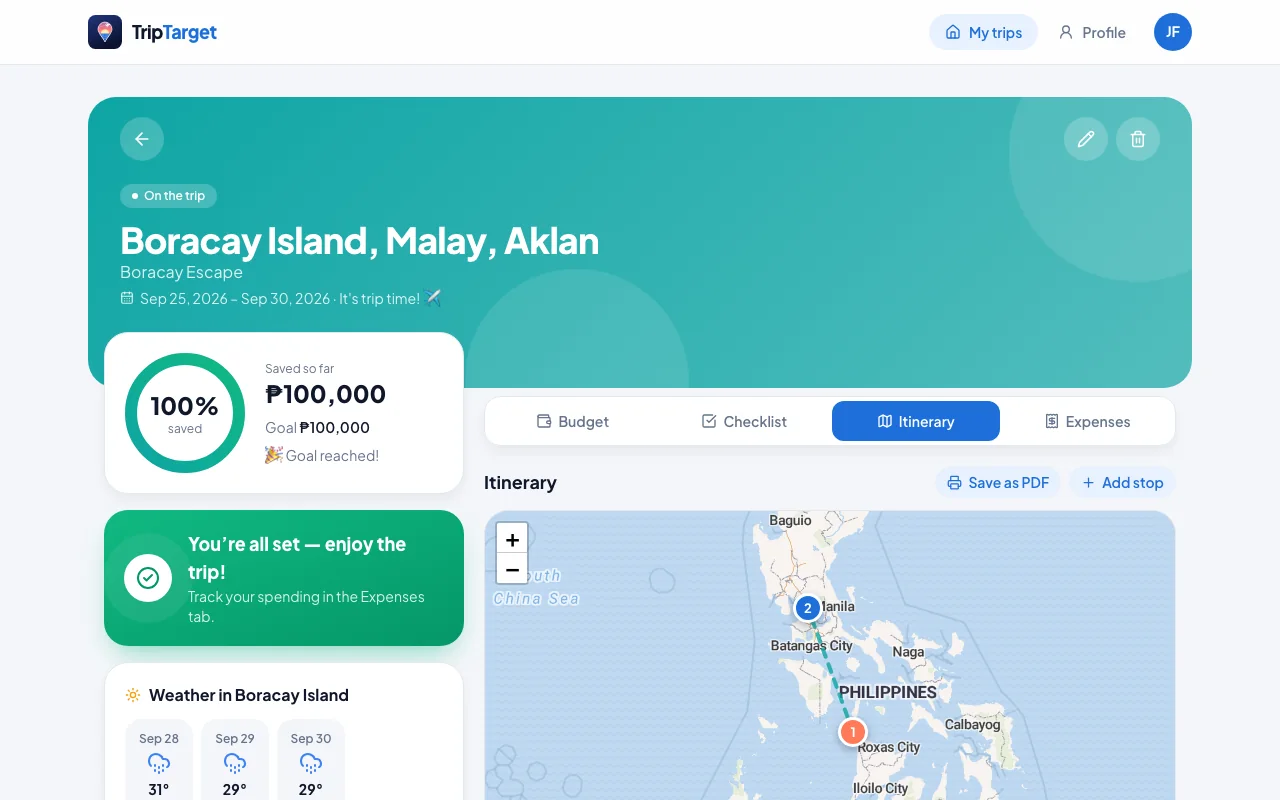
Web app
No Android phone? Use it in your browser.
Plan a trip on your laptop and check it on your phone later. The web app has your trips, savings and itinerary, and it looks and works like the app.
- Same account as the app. Changes sync both ways.
- Works on iPhone, iPad, Mac and Windows. Nothing to install.
- Budget, checklist, itinerary map, expenses, weather and the leave planner.
- Group trips: invite people, chat live and see where everyone is.
- Share your itinerary as a picture, or print it as a PDF.
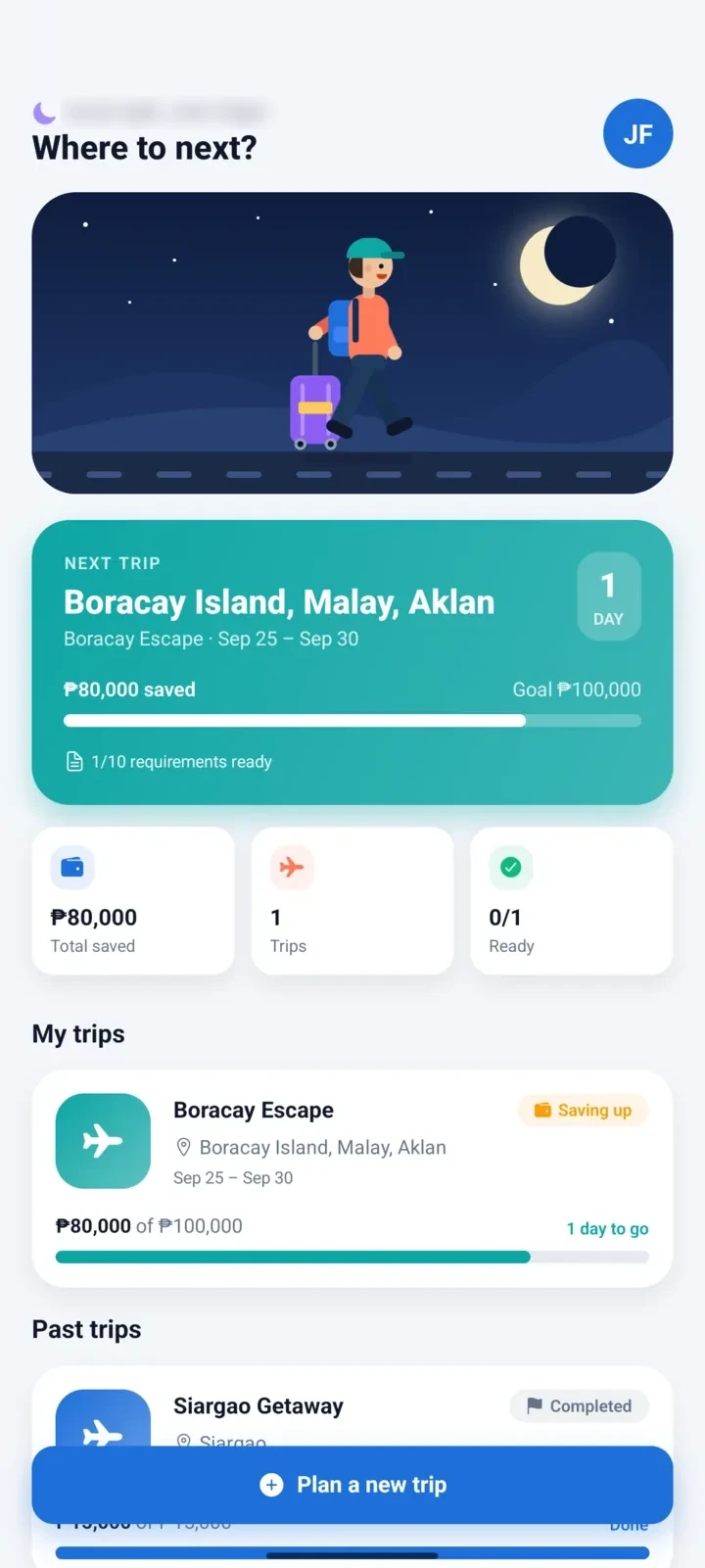
Light, dark or system
Beautiful by day. Easy on the eyes at night.
TripTarget follows your phone's theme, and the greeting and travel scene change with the time of day, from a sunny morning to a starry night.
FAQ
Questions, answered
Is TripTarget free?
Yes. TripTarget is free to download and use, with no ads and no subscriptions.
Which phones does it work on?
The app runs on Android 7.0 or newer. On an iPhone or a computer, use the web app at triptarget.vercel.app/app — same account, same trips.
Does it work without internet?
Yes, once you've logged in. Trips, savings, checklists and expenses are saved on your phone first and sync to your account once you're back online. You need internet the first time: creating an account, logging in on a new install and Google sign-in all go through our server. Stay logged in and the app keeps working offline after that. If you log out, you can only get back in offline with fingerprint (Android) or Face ID (iPhone) login, turned on in Profile → Security beforehand; a password always needs internet. The map, weather and place search need a connection to load.
Can I log in without internet?
Typing your email and password needs internet, because we check them with our server. If you stay logged in, the app opens offline as usual. If you log out and want to get back in offline, turn on fingerprint login (Android) or Face ID login (iPhone) first, in Profile → Security while you're online: then the “Log in with fingerprint” or “Log in with Face ID” button works with no connection. Without it, you'll need internet to log in again.
Is my data safe?
Your trips are stored on your phone and backed up to your own account, which only you can read. Receipt scans are handled on your phone and never uploaded, and your location is shared only with the people on a trip, only if you turn it on. There are no ads and no tracking. Read the Privacy Policy for the details.
Can I use it on more than one device?
Yes. Log in with the same account on another phone or on the web app and your trips are there, kept in sync.
I forgot my password. What do I do?
Tap “Forgot password?” on the log-in screen in the app or on the web. We'll email you a 6-digit code; enter it with a new password and you're back in. Accounts that sign in with Google don't need a password.
Can I sign in with Google?
Yes. Tap Continue with Google on the login screen to sign in or create an account in one step. You can also sign up with your email; we'll send a 6-digit code to verify it.
How do I delete my account?
Open Profile in the app and tap Delete account at the bottom. Your account and all your trips are deleted right away. If you can't open the app, email us from your account's email address.
How do I get new versions?
When a new version is out, the Android app shows you what's new and can update itself in a few taps. It's always your choice: tap Remind me later, or wait until you're back online. Your trips stay.
How do I add an expense from a payment?
In the phone app, tap Add expense and pick a screenshot of your payment from GCash, Maya or any bank. It's read right on your phone and fills in the amount and date for you to check. The image isn't uploaded.

Start saving for your next trip today.
Download TripTarget for Android, or use it right in your browser. It's free, and your first trip takes less than a minute to set up.
Android 7.0+ · about 100 MB

On a computer?
Scan with your phone's camera to download TripTarget straight to it.
Installing the APK
- 1Open the downloaded file on your phone.
- 2If asked, allow your browser or file manager to install apps.
- 3If Play Protect warns you, tap “More details” → “Install anyway”. It shows this for apps installed outside the Play Store.
- 4Open TripTarget and create your free account or log in. You need internet for this first step; after that the app works offline as long as you stay logged in (or have turned on fingerprint or Face ID login).